Run and manage competitions
A competition ranks tracked players against each other over a window, posts updates to a channel while it runs, and announces final standings when it ends. Scout starts and ends it on its own from the dates you set.
Choose criteria that measure what you mean
Section titled “Choose criteria that measure what you mean”Criteria decide what “winning” is. Picking the wrong one produces a leaderboard nobody trusts.
- Most games played — rewards volume. Good for a server-wide activity push, bad if you want to reward playing well.
- Highest rank — peak rank reached across Solo/Duo, Flex, or Ranked 5s. Choose Best selected rank for one winning ladder or Combined ranks to add the selected ladders’ normalized points.
- Most rank climb — LP gained across Solo/Duo, Flex, or Ranked 5s. Choose the best complete ladder climb or add every complete selected-ladder change.
- Most wins — wins in a queue you choose.
- Most wins on a champion — wins on one specific champion, optionally restricted to a queue. The basis of one-trick challenges.
- Highest win rate — needs a minimum game count, which defaults to 10. Never run this without a sensible floor or someone wins on a 1-0 record.
Every criteria type and the queues each accepts are listed in the competition reference.
Choose Modern League or League Classic before choosing queues. Modern and Classic matches never mix. Classic has its own champion catalog and cannot use rank criteria because Scout has no Classic ladder. Choose All queues by itself, or select any number of compatible queues. Limited-time queues remain available and are labeled when they are not live.
Control who takes part
Section titled “Control who takes part”Set Visibility when you create it:
- SERVER_WIDE — Scout ignores manual selection and enrolls eligible tracked players up to the cap.
- OPEN — choose any initial tracked players; they become
JOINEDimmediately, and managers can add more later. - INVITE_ONLY — choose the managed roster up front. Use it for a subset, like one team.
Initial selections for OPEN and INVITE_ONLY are created atomically with the
competition. A duplicate, cross-server, or over-cap selection rejects the whole
request. Participant management after creation still exposes INVITED and
LEFT; Scout has no member-facing invitation acceptance flow.
You can also cap the field with Max participants.
Set the window
Section titled “Set the window”Choose either:
- Fixed dates — an explicit start and end.
- Season — the competition follows a League season’s boundaries.
Use a season for a climb race that should end when the season does; use fixed dates for anything shorter. A season changes only the dates. Game version and queues decide which matches count. Fixed dates mean local day start through local day end in the Competition timezone, including on daylight-saving transitions.
Configure leaderboard updates
Section titled “Configure leaderboard updates”Start and final announcements are mandatory. Post leaderboard updates controls only the standings posted while the competition is active. New competitions default to daily at 9:00 AM in your browser’s timezone; you can disable them, choose a preset cadence, enter a custom at-most-daily cron expression, and save a separate schedule timezone.
Selecting initial entrants requires competitions:invite. Enabling or
customizing leaderboard delivery requires competitions:schedule.
Let the lifecycle drive it
Section titled “Let the lifecycle drive it”Scout checks competitions every fifteen minutes and, from that check:
- announces the start when the start date arrives,
- posts final standings and closes it when the end date passes.
The Temporal-owned minute dispatcher selects only enabled, active competitions whose next fire is due. It advances the next fire after both successful and failed Discord attempts so one broken channel is not retried every minute.
Status is derived from the dates rather than stored, so correcting a date immediately corrects whether the competition is upcoming, running, or finished.
Adjust a running competition
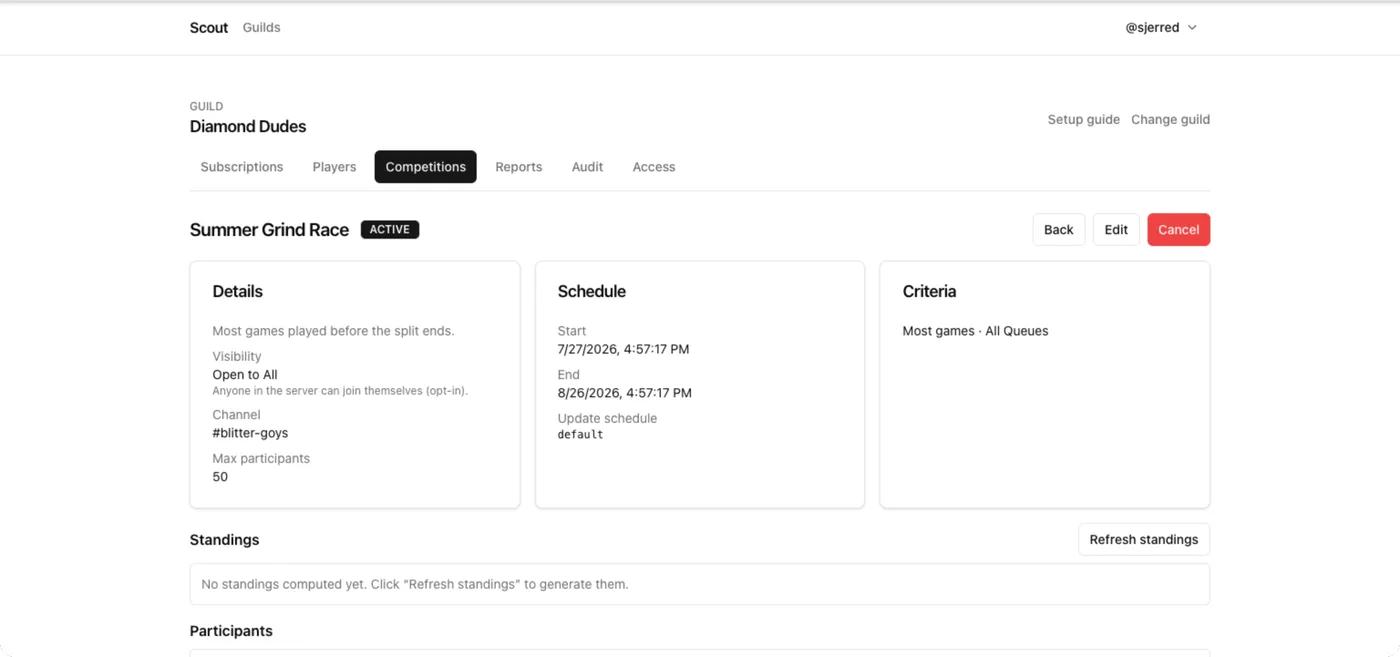
Section titled “Adjust a running competition”Before the competition starts, Edit can change its complete setup. Once it is active, criteria and dates are locked because changing them would invalidate snapshots and lifecycle timing. You can still change the title, description, channel, analysis timezone, and increase the participant cap. Cancel and start a clean competition if the active scoring model is wrong.
Force a leaderboard refresh
Section titled “Force a leaderboard refresh”If standings look stale after games that should have counted, choose Refresh standings on the competition page rather than waiting for the next fifteen-minute pass.
If the games are missing entirely rather than just late, the problem is upstream: see Diagnose a missing notification.
Cancel one
Section titled “Cancel one”Open the competition and choose Cancel. It stops accruing and stops posting updates. Cancel rather than delete when you want the record of it to remain.
Build a leaderboard the criteria cannot express
Section titled “Build a leaderboard the criteria cannot express”The built-in criteria are deliberately a short list. For anything else — damage, vision, CS per minute, teammate groups, champion-specific splits — write a report instead:
SELECT COUNT(*) AS games, AVG(win::INT) AS win_rate, kda() AS kdaFROM match_participantsWHERE queue = 'solo' AND game_creation_at >= CURRENT_TIMESTAMP - INTERVAL 30 DAYGROUP BY playerHAVING games >= 10ORDER BY kda DESCRENDER leaderboardHAVING games >= 10 is the floor that stops a 1–0 record winning; it is the
same guard the built-in “highest win rate” criteria applies for you.
See Build your first scheduled report.