Grant dashboard access without Discord admin
Every member of your server is already a Player: without any grant, they can see its tracked players, competitions, reports, and custom games. Only Discord administrators and the server owner can manage Scout. Granting Scout access adds to Player, handing out management rights without handing out Discord Administrator.
You need the Roles & access grant permission to do this — Discord admins have it inherently.
Grant access with a role preset
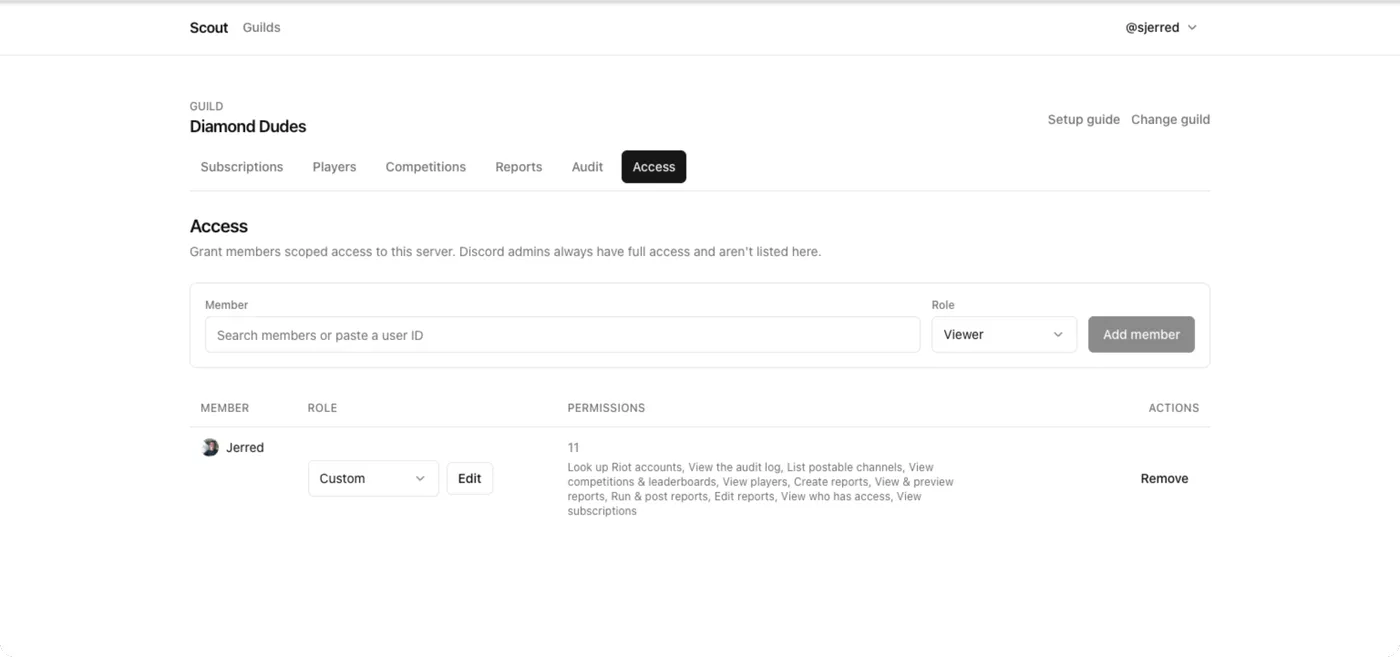
Section titled “Grant access with a role preset”- Open Access.
- Search for the member, or paste their user ID.
- Choose a role:
- Dashboard viewer — read-only across the management dashboard, adding subscriptions and channels to what every Player sees.
- Manager — full day-to-day management, but cannot change who has access.
- Admin — everything, including granting and revoking access.
- Save.
Manager is the right default for someone helping you run the server. It covers players, subscriptions, competitions, reports, and the audit log, while keeping the ability to hand out access with you.
Grant individual permissions instead
Section titled “Grant individual permissions instead”Roles are presets, not containers — a grant is stored as one row per permission. So you can pick scopes by hand when no preset fits.
Grant exactly what the job needs:
- Someone who only runs the weekly report →
reports: read,reports: run. - Someone who curates the roster →
playersandaccountsactions, plussubscriptions: read. - Someone auditing →
audit: read.
A hand-picked set shows as Custom rather than a role name, with the individual permissions listed beside it. Every resource and action is listed in the permission reference.
You cannot grant what you do not have
Section titled “You cannot grant what you do not have”Scout refuses to let you delegate a permission you do not hold yourself. A Manager cannot promote anyone to Admin, and cannot grant the roles permission they lack.
This is what stops access from quietly escalating through the people you delegate to.
Check who currently has access
Section titled “Check who currently has access”Access lists everyone with a grant beyond Player and what they hold. Review it when someone changes role in the server, and when a project ends.
Revoke access
Section titled “Revoke access”- Open Access.
- Find the person and choose Reset to Player, or change their role or individual permissions.
They keep Player: every member of the server can still see its players, competitions, reports, and custom games.
Revocation takes effect on their next request. Anything they created — players, reports, competitions — stays.
See what someone did
Section titled “See what someone did”Open Audit. Grants themselves are recorded with the actor, as are the player, account, and subscription changes someone makes with them.
Competition and report changes are not recorded yet, so the log does not show
who created, edited, or cancelled those. Weigh that when handing out
competitions and reports permissions.
Related
Section titled “Related”- Permission reference — every resource and action.
- About Scout’s access model — why it works this way.