Add and organize tracked players
Add a player from Discord
Section titled “Add a player from Discord”Run this in the channel that should receive the notifications:
/track riot-id: <name#TAG> region: <region> alias: <short name>/track is a single happy path: one account, one channel, no filters. It
creates the player if the alias is new and attaches the Riot account to it.
Scout then quietly imports up to that account’s 20 most recent games and its
current Solo/Flex ranks. The history fills Explore, reports, AI review context,
and the player profile; old games never post notifications.
Use it when you want a player tracked in the channel you are already standing in. For anything else, use the dashboard.
Add a player from the dashboard
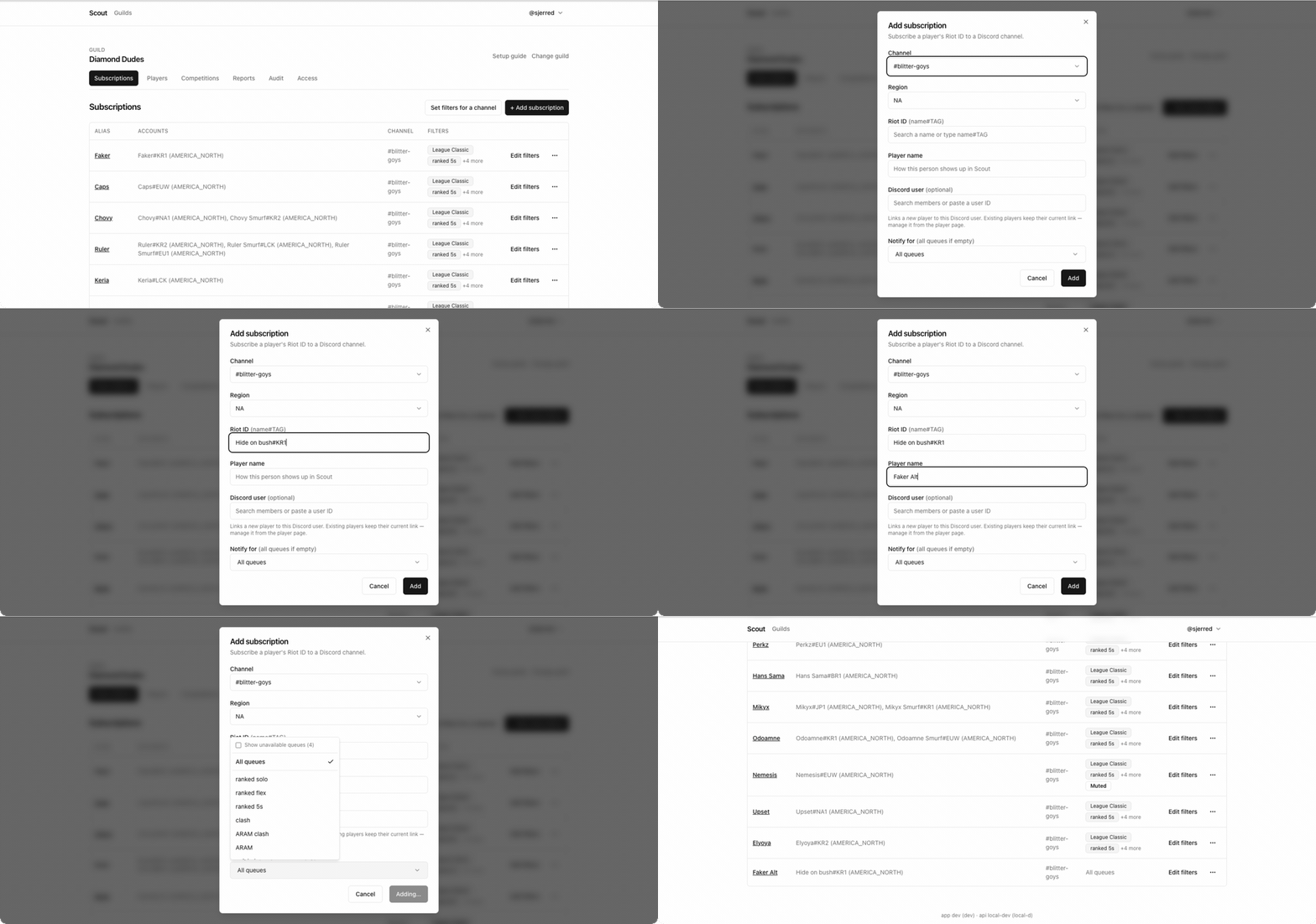
Section titled “Add a player from the dashboard”- Open Players and choose + Track player.
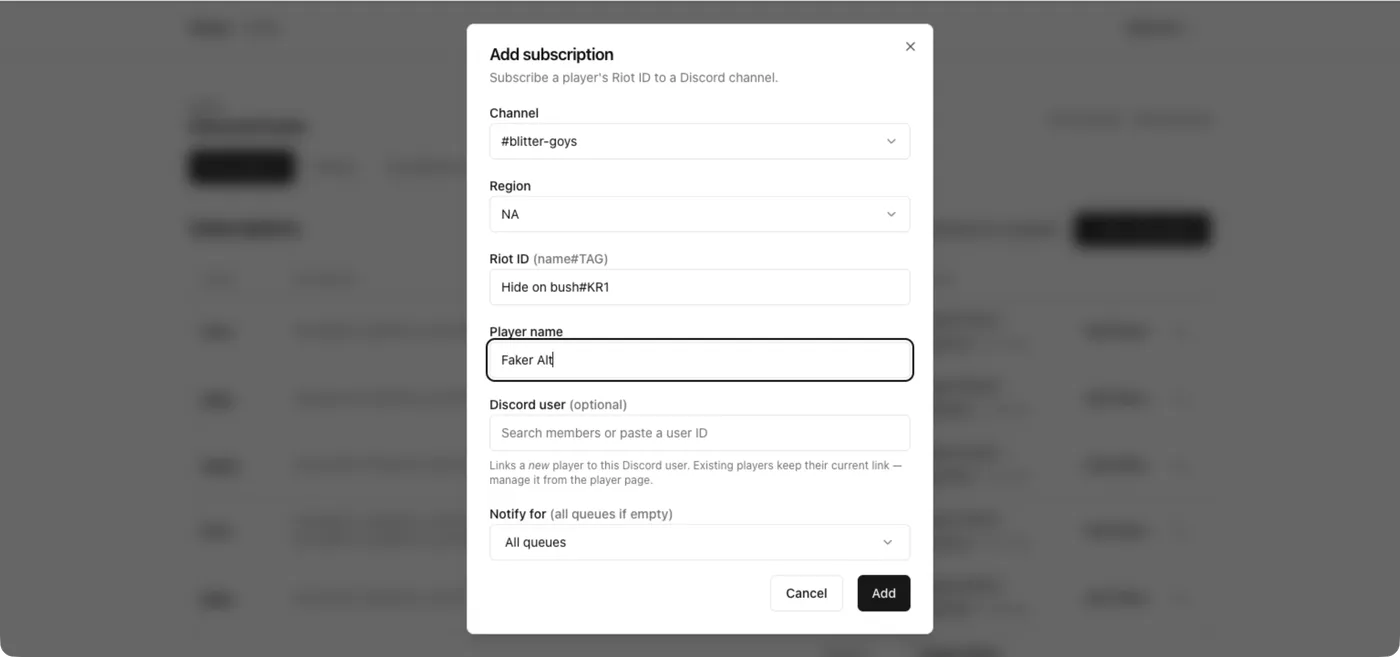
- Pick the Channel the player’s matches should post to.
- Pick the Region, enter the Riot ID (
name#TAG), and set a Player name. - Optionally link a Discord user, and optionally restrict Notify for to specific queues.
The whole flow, end to end:
The Discord link applies only when the player is new — an existing player keeps its current link, which you change from the player page instead.
The player name is the alias your server sees — in notifications, leaderboards, report rows, and competition standings. Pick something people will recognize, not the in-game name, which can change.
Put several accounts under one alias
Section titled “Put several accounts under one alias”A player who has a main and a smurf should be one player with two accounts, not two players. That way their games aggregate into one leaderboard row.
- Open Players and choose the player.
- In the accounts section, choose Add account.
- Enter the second Riot ID and its region.
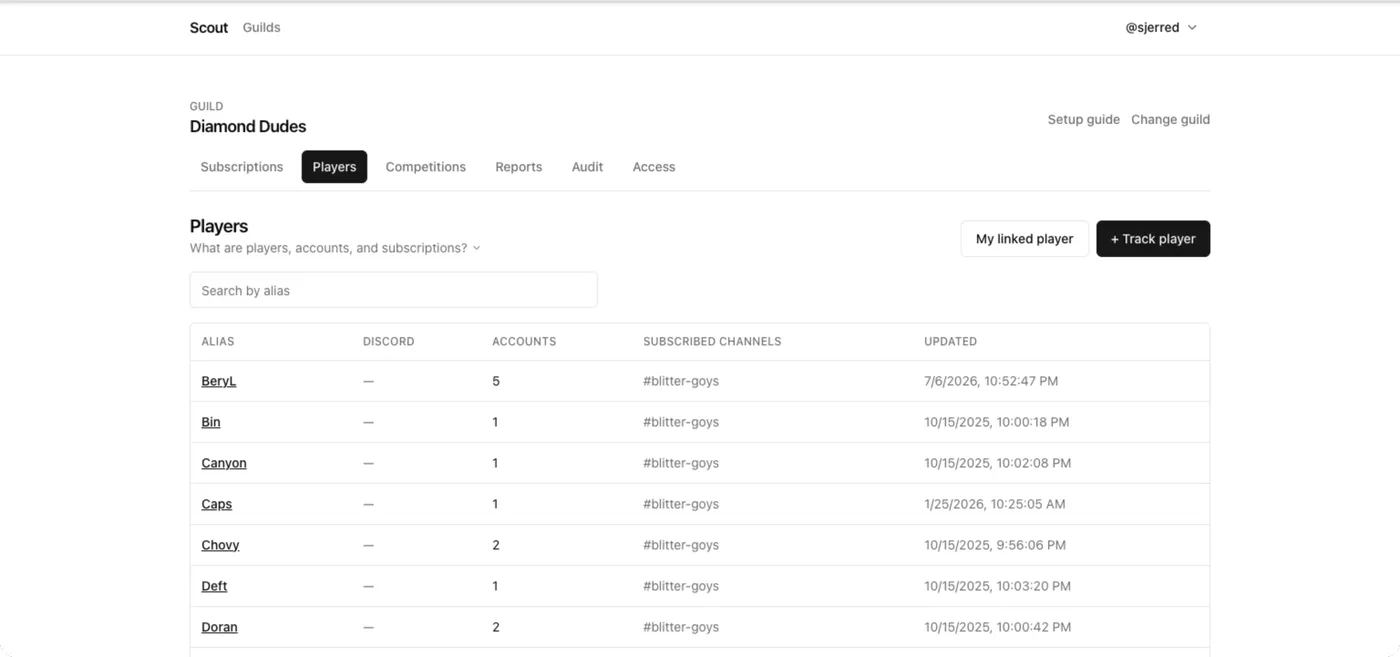
Both accounts now feed the same alias. Any subscription for that player covers matches on either account.
The added account receives the same quiet history import. Re-adding an account within 24 hours reuses its existing import instead of refetching Riot data.
Move an account to a different player
Section titled “Move an account to a different player”If an account ended up on the wrong alias:
- Open the player that currently holds it.
- Find the account and choose Transfer.
- Pick the player it should belong to.
The account’s match history moves with it — you do not lose past games.
Rename a player
Section titled “Rename a player”- Open the player and choose Rename.
- Enter the new alias.
The alias changes everywhere it is displayed. Existing subscriptions, competition entries, and report history keep pointing at the same player.
Remove a player or an account
Section titled “Remove a player or an account”- To stop following one League account but keep the player, open the player and choose Delete on that account.
- To remove the player entirely, choose Delete on the player itself. This removes their subscriptions too.
Removing a player does not remove past notifications from your channels — those are ordinary Discord messages.
When you cannot add any more
Section titled “When you cannot add any more”Scout enforces a per-server ceiling on tracked players and on Riot accounts. When you are within five slots of either ceiling, Scout warns you as you add; at the ceiling it refuses and tells you the current count.
Free space by deleting players or accounts you no longer follow. See Schedules and limits for what is capped.
Related
Section titled “Related”- Link a player to their Discord account so
reports can
@mentionthem. - Merge duplicate players if the same person was added twice.
- How players, accounts, and subscriptions relate.